Web Development Services Logo

Why Meta Is Retiring Messenger.com and How It Impacts Your Business Communication

It's a Tuesday morning in April. You walk into your office, coffee in hand, sit down at your computer, and type "messenger.com" into your browser like you've done hundreds of times before.

Blue Arrow Icon
News Messenger Com Retiring Business Impact 2026 Update
Branding
Graphic Design
Web Design
Social Media Design
Seo
Logo Design
Web Development
E-Commerce Design
Wordpress Development
Envelop Design
Ui Design
Shopify Design
Landing Page Design
Branding
Graphic Design
Web Design
Social Media Design
Seo
Logo Design
Web Development
E-Commerce Design
Wordpress Development
Envelop Design
Ui Design
Shopify Design
Landing Page Design
It's a Tuesday morning in April. You walk into your office, coffee in hand, sit down at your computer, and type "messenger.com" into your browser like you've done hundreds of times before. Only this time? The screen looks different. Your clean, distraction-free chat window is gone. Instead, you're staring at the Facebook homepage—news feed, ads, suggested reels, all of it.

Messanger Biggest Annoucement 2026
For a moment, you're confused. Did you type the wrong address? Did someone hack your computer?
No. This is exactly what Meta has planned.
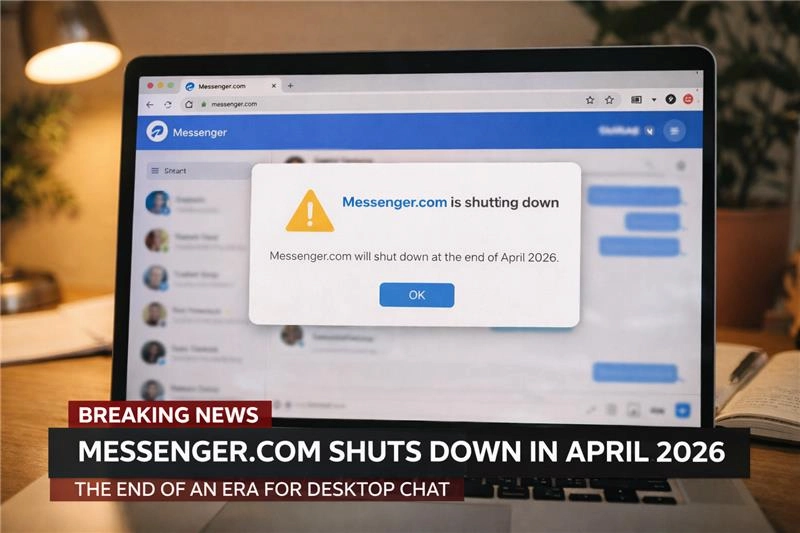
On April 15, 2026, the standalone messenger.com website will stop working . No more sending or receiving messages through that dedicated portal. If you try, the system will automatically redirect you to the main Facebook site.
And here's the thing: if you run a business, this actually matters more than you might think.

First, Let's Look at the Timeline

Meta didn't just wake up one day and decide to pull the plug.
Back in December 2025, the company quietly removed its standalone Messenger desktop apps for Windows and Mac . If you had them installed, they simply stopped working.

At The Time Messenger Com Remained Available
At the time, messenger.com remained available. It became the last refuge for people who wanted to chat without the noise of Facebook's main interface .
Now that refuge is closing too .
The official shutdown date is April 15, 2026 . After that, you have two options:
That's it. No more standalone web experience.

So Why Is Meta Really Doing This?

Meta hasn't released a detailed public statement explaining the decision. But when you look at the pattern, the reasoning becomes pretty clear.

They're simplifying their ecosystem.

Right now, Meta maintains multiple ways to access the same service:
  • The main Facebook website
  • The standalone messenger.com site
  • Mobile apps for iOS and Android
  • Desktop apps that were already discontinued
Each platform requires maintenance, security updates, and engineering resources . By shutting down messenger.com, Meta reduces the number of interfaces it needs to support . That means faster updates and fewer potential security holes .

They want you on the main Facebook site.

This part isn't cynical—it's just business.
When you use messenger.com, you see messages and nothing else. When you use facebook.com/messages, you see messages plus the news feed, plus ads, plus reels, plus suggested content .
More time on the main site means more ad impressions. More ad impressions means more revenue .

They're betting everything on mobile.

Industry analyst Fabian Warislohner noted on LinkedIn that this move represents "a fundamental shift in how enterprise communication infrastructure will evolve" . The priority now is mobile-first experiences, with web access becoming secondary .
A Vietnamese news source summarized Meta's position this way: "The company is streamlining its product ecosystem, reducing the number of platforms that need to be maintained simultaneously" .

What This Actually Means for Your Business

Okay, so a website is changing. Why should business owners care?
Because for years, messenger.com served a specific purpose for professionals. It was a clean, focused workspace .

The Loss of a Distraction-Free Zone

If you've ever used messenger.com during work hours, you know what I mean. No notifications about what your cousin had for dinner. No videos autoplaying in the sidebar. Just conversations.

That's disappearing.

Starting April 15, every time you open Facebook to reply to a client, you'll also see:
  • The latest news feed updates
  • Sponsored posts
  • Suggested reels
  • Friend requests
  • Event notifications
For someone trying to maintain focus, that's not nothing.

Customer Response Time May Slip

Here's a scenario I've seen play out dozens of times with small business owners:
A client sends a quick question through Messenger. You're at your computer, so you open messenger.com, reply in thirty seconds, and get back to work.
For someone trying to maintain focus, that's not nothing.

The Hidden Cost Nobody Talking About
After April 15, that same workflow looks different. You open Facebook. You see something interesting in your feed. You scroll for two minutes. You reply to the client. But that reply came two and a half minutes later than it could have.
Over a week? Over a month? Those delays add up.

Security Considerations

Meta has emphasized that all chat history, photos, and files will be preserved during this transition . But they're also pushing users to enable specific security features beforehand.
The company recommends activating secure storage and PIN protection in your Messenger settings . This ensures your encrypted chat history remains accessible across devices after the standalone site disappears .
If you haven't done this yet, put it on your to-do list for this week.

The Mobile-Only Reality Check

For team members who primarily use desktop computers during work hours, this change requires adjustment.
A Philippine news outlet noted that "users attempting to access messaging services via Messenger.com on desktop computers after the shutdown date will be automatically redirected to Facebook.com/messages" . But here's the catch: that redirect assumes you have an active Facebook account.
If you're one of the people who uses Messenger without a Facebook profile? Your desktop access simply ends . Mobile becomes your only option.

The Hidden Cost Nobody's Talking About

Let me share something I haven't seen mentioned elsewhere.
When Meta Moved From Native Desktop App
When Meta moved from native desktop apps to Progressive Web Apps last year, some users noticed subtle changes in performance . PWAs are lighter and easier to update, but they don't always integrate with operating systems as smoothly as native applications .
Now, by eliminating the standalone web interface entirely, Meta is forcing everyone into either mobile apps or the full Facebook web experience.
For a business owner, this creates a fragmented communication workflow.
Your team might handle:
  • Client messages on their phones throughout the day
  • Internal coordination through email or Slack
  • Occasional Facebook replies when they're at their desks
  • WhatsApp for international clients
Each platform lives in its own silo. Each requires switching contexts. Each drains a little more mental energy.
As one tech commentator put it: "Messenger.com was long considered a 'clean environment' for chat features. This website had a lightweight interface, no news feed, no ads. This is why many people used it for work communication without getting distracted" .
That clean environment? It's about to become a memory.

What Smart Businesses Are Doing Right Now

If you're reading this and thinking "I should probably prepare for this," you're right. Here's what I recommend.
What Smart Businesses Are Doing Right Now

Audit Your Communication Channels

Take fifteen minutes this week to list every way clients and team members reach you. Where are the messages coming from? Where do replies currently happen?
If Messenger is a primary channel for client communication, map out exactly how your team will access it after April 15.

Train Your Team Before the Deadline

Don't wait until April 15 to figure this out. Show everyone now how to access messages through facebook.com/messages. Let them practice. Let them complain about the distractions now, so they can build better habits before the old option disappears.

Update Your Security Settings

Go into Messenger right now and enable secure storage and PIN protection . This takes two minutes and ensures your conversation history stays intact through the transition.

Consider Your Website's Role

Here's where I'll get slightly self-interested, but only because it's true.
This change from Meta is part of a larger trend: platforms are consolidating. They're pulling users back into their walled gardens. They're controlling the experience.
This Change From Meta Is Part Of A Larger Trend
If Messenger is a primary channel for client communication, map out exactly how your team will access it after April 15.
For business owners, this is exactly the wrong direction.
A well-designed website with integrated contact options—chat widgets, contact forms, scheduled booking links—gives you that control. It creates a direct line between you and your customers that doesn't depend on whether Meta decides to keep a particular website running.
You want customers communicating with you on your terms, not inside someone else's platform where the rules can change overnight.
We help businesses build exactly this kind of infrastructure. Custom WordPress sites with clean communication tools. Oxygen Builder projects that load fast and convert visitors. Graphics and SEO work that actually brings people to your corner of the internet, not just your Facebook page.
But that's a conversation for another day.

The Bottom Line

On April 15, 2026, messenger.com goes away .
If you're a casual user who only messages friends occasionally, this change barely registers. You'll adapt in a day and forget it ever happened.
But if you run a business? If you use Messenger to talk to clients, answer questions, or close deals? This matters.
The clean, distraction-free interface disappears. The separation between "social" and "communication" blurs. And your team's workflow shifts—subtly but permanently.
Meta's reasoning makes sense fromtheir perspective. Fewer platforms to maintain. More eyes on their ad inventory. A unified ecosystem that's easier to update .
But your business perspective is different. You need focus. You need efficiency. You need tools that serve you, not the other way around.
So take the next few weeks to prepare. Update your settings. Train your team. And maybe—just maybe—think about whether your most important customer conversations should be happening on someone else's platform at all.

subscribe to

our newsletter

"Stay ahead in digital innovation by subscribing to Impressive Sol's newsletter. Get exclusive insights, design tips, and updates."
envelopephone